




Delete Account
 Information regarding account Deletion:
Please note that after account deletion on Infyni you will not be able to access any data available on Infyni platform related to your account. We will delete all the data except payments related data. We need payments related data for legal purpose and will delete it once it is not required. Once you request for account deletion you will receive an email from team@Infyni.com confirming your request. Also, please note that once account has been deleted, we will not be able to reactive the account. Our team will review the request and respond within 14 days with status.
- Account Deletion:
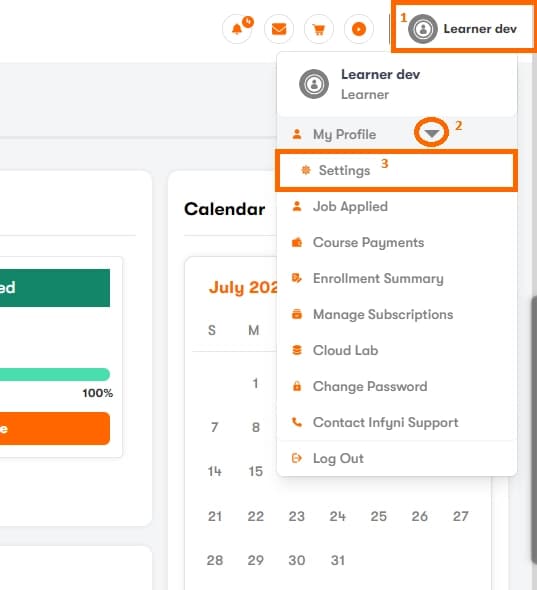
- Website: Open Infyni Dashboard › Click on your profile icon located in the top right corner › Select 'Settings' from the dropdown menu under 'My Profile' › Scroll down and choose 'Delete Account'.
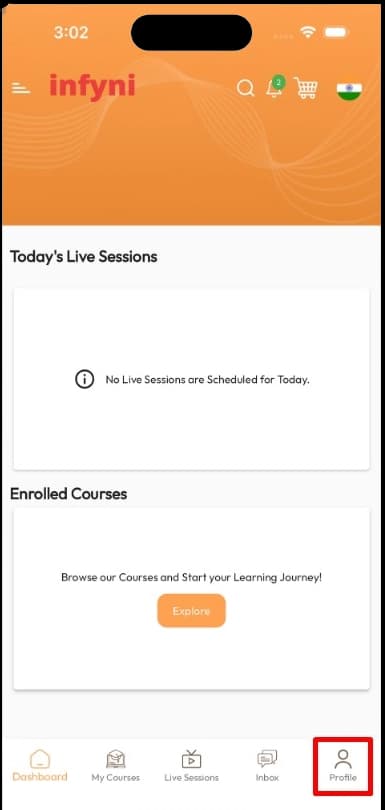
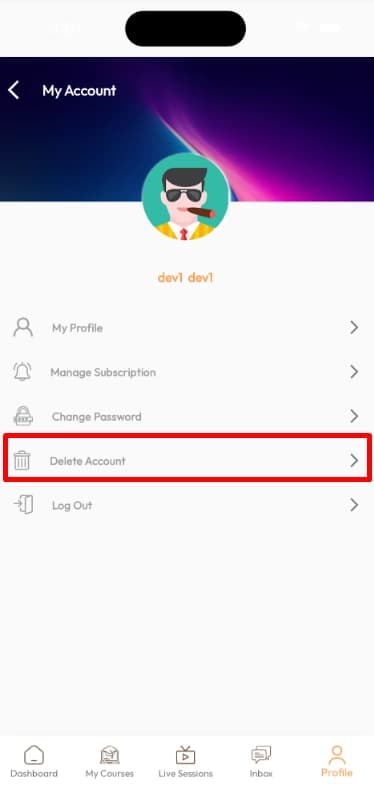
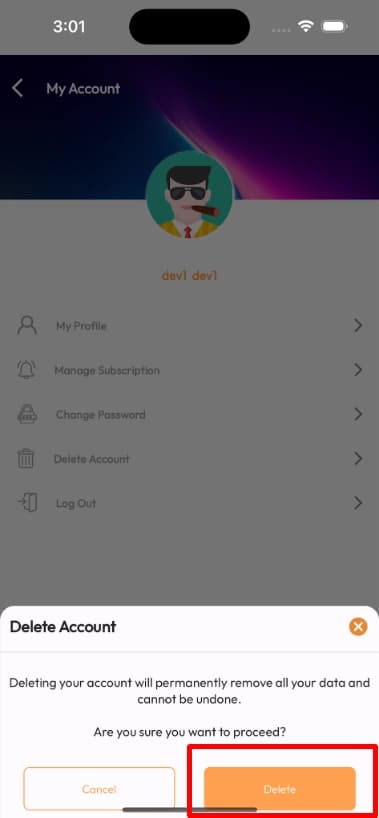
- Mobile App: Open Infyni 'Dashboard' › Click on your 'Profile Icon' located in the bottom right corner › Tap on 'Delete Account' tile › Click on the 'Delete' button from the bottom sheet.
 How to Unsubscribe Notifications?
Unsubscribing from Infyni or instructor notifications allows you to manage your communication preferences and control the emails you receive.
Note: After requesting this you will not receive email notification from infyni.
- Unsubscribe Emails:
- Login to website and 'click' on profile Icon.
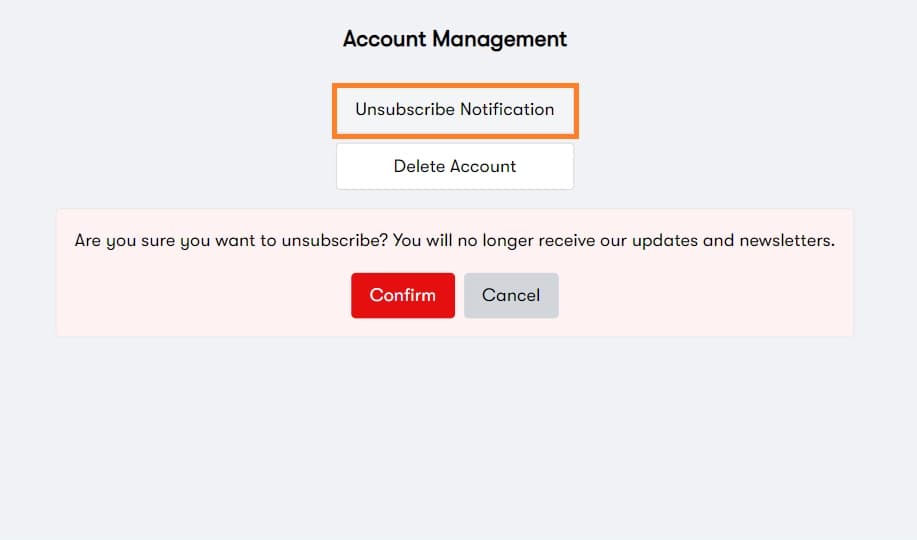 Click 'Account Settings' in the dropdown menu and then 'Notifications'' button in middle of the page.
- Once you 'confirm'. You will not receive email notification from infyni.
- Click 'Confirm'.